
Duck Arsenal guide to bags and battles
Pack your first bag, merge matching weapons and use targeting and skill choices to clear bird waves.
Play Duck ArsenalIn Duck Arsenal, you pack a bag of weapons to help a cat defend against waves of birds. You have two chances to improve a run: arrange and merge your gear before a fight, then focus enemies and choose skills while the cat attacks.
The first level is a short test of that loop. This guide follows a real opening bag, the first matching-weapon merge and the decisions you make once the birds arrive.
Find the first battle and its milestones
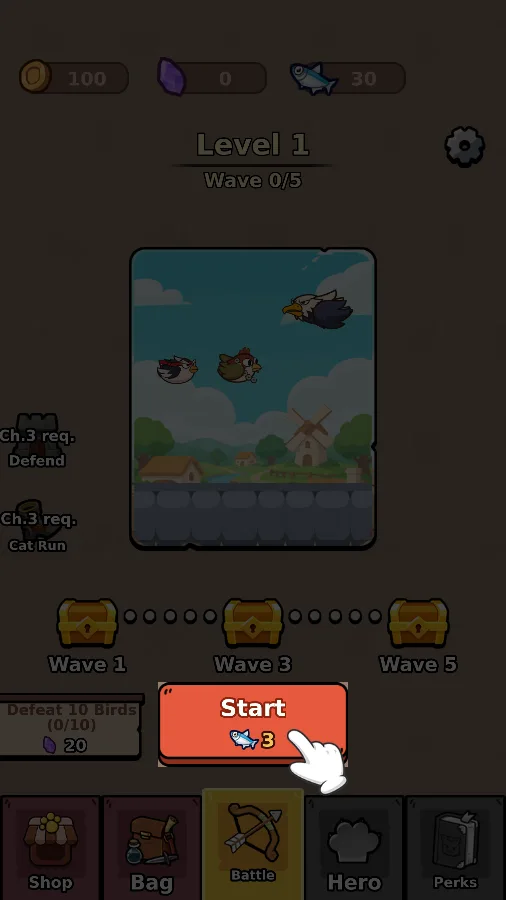
Open the Battle tab. The first screen reads Level 1 and Wave 0/5, with milestone chests at waves 1, 3 and 5. Start opens the preparation sequence. The side objective on this screen asks you to defeat 10 birds.
Defend and Cat Run each show a Chapter 3 requirement on a fresh game. Start with the main Battle route and learn how to set up your bag. The wave counter tracks progress inside the level.
Build a bag before starting the battle
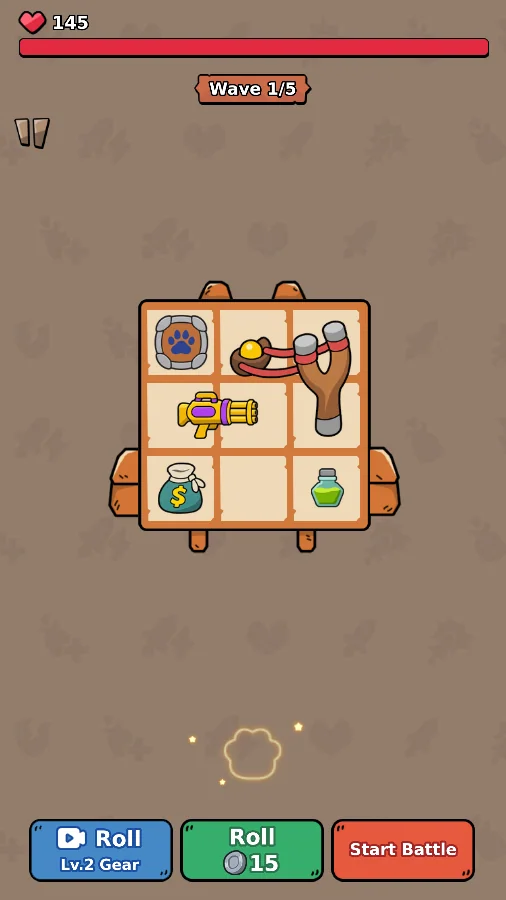
Drag weapons from the supply area into the 3×3 bag. Pieces have different shapes. The early gun takes two neighboring spaces and the slingshot needs an L-shaped opening. Look at every square the piece covers before you let go.
Try fitting the awkward shape while the bag still has room. In the opening run, the slingshot would not fit near the bottom edge. Moving it higher left enough space for the full shape. The small paw item needs only one square, so you can fit it into a gap later.
The green Roll button refreshes the available gear and displays its coin cost. Check the new pieces before you roll again. See which one fits now and which could merge with a weapon you already packed.
Merge a pair to make space
Drag a matching weapon onto its counterpart in the bag. The tutorial refresh provides a second copy of the starting gun. Combining the two creates a visibly upgraded yellow-and-purple gun and leaves room for another decision.
If a drop leaves two pieces separate, compare their type and level. Move gear into an empty area if you need space to check the fit. Before you press Start Battle, see whether you can use the space the merge freed.
Watch the wave and focus a threat
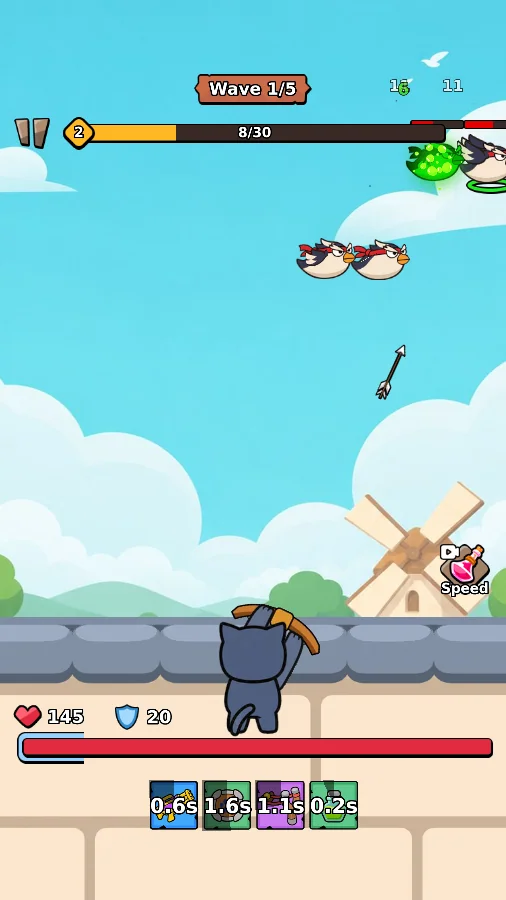
Your cat begins attacking on its own. The bottom weapon icons show their own countdowns. Watch an icon count down and restart while the wave keeps moving. The wave number at the top and the heart and shield counters at the bottom tell you how the defense is going.
Click or tap a bird to focus it. Try a bird that has pushed ahead and keep an eye on the rest of the group while your cat fires. The numbered progress meter near the top can advance while you are still on the same wave.
If you lose health early, look for a specific change you can test on the next try. Rearrange the bag so another piece fits, or complete a merge earlier and compare how far the next setup carries you.
Choose a skill for the current run
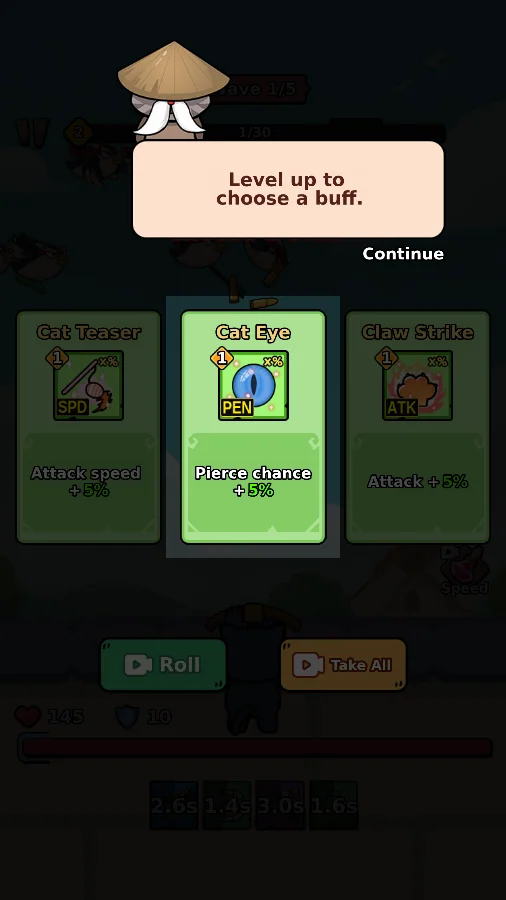
The fight pauses when you are offered a skill. Read each card before you choose. One opening run offered Cat Teaser for +5% attack speed, Cat Eye for +5% pierce chance, and Claw Strike for +5% attack. Another offered an immediate coin reward alongside combat improvements.
If you want each hit to land harder, look for an attack boost such as Claw Strike. Choose a task for the upgrade to solve, then watch the next wave to see how that setup behaves. Picking a card returns you to the fight.
Save the progress you earned
Use the mouse or touch to drag equipment, choose skills and select targets. Guest progress is saved in the browser you play in. Sign in to sync earned progress with a WebGameClub account and continue on another device.
Reloading restarts the battle in progress. If you need a break, finish the fight and collect the reward before leaving.
Watch the Claw Strike choice
If the player does not load, watch on YouTube. The written guide and game remain available.
The cat earns a skill choice during a bird wave. Claw Strike adds 5% attack, then the defense resumes.