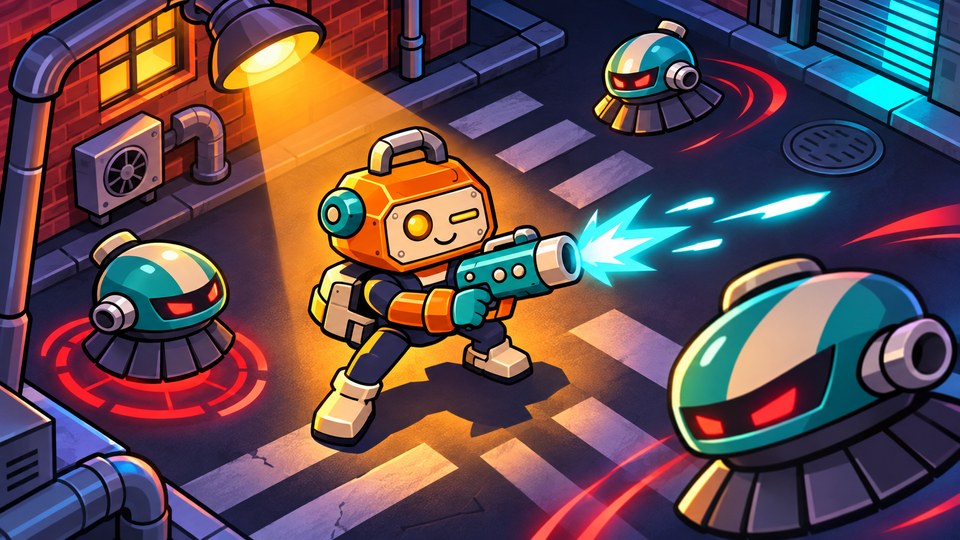
Street Bot Shootout combat guide
Find Story and the Armory, get through the street waves, learn the first boss fight, and see when Ultimate Challenge unlocks.
Play Street Bot ShootoutStreet Bot Shootout is a side-scrolling arcade shooter. You steer an orange repair bot through the street while its standard weapon turns toward nearby enemies. The skill to practice is keeping room to move while your weapon fires.
Start with Story 1-1 for the controls and the first boss. Then try Story 1-2, where barricades and a narrow gate make positioning matter. The screenshots below show where to go and what to watch on the HUD.
Start from Home and pick a Story stage
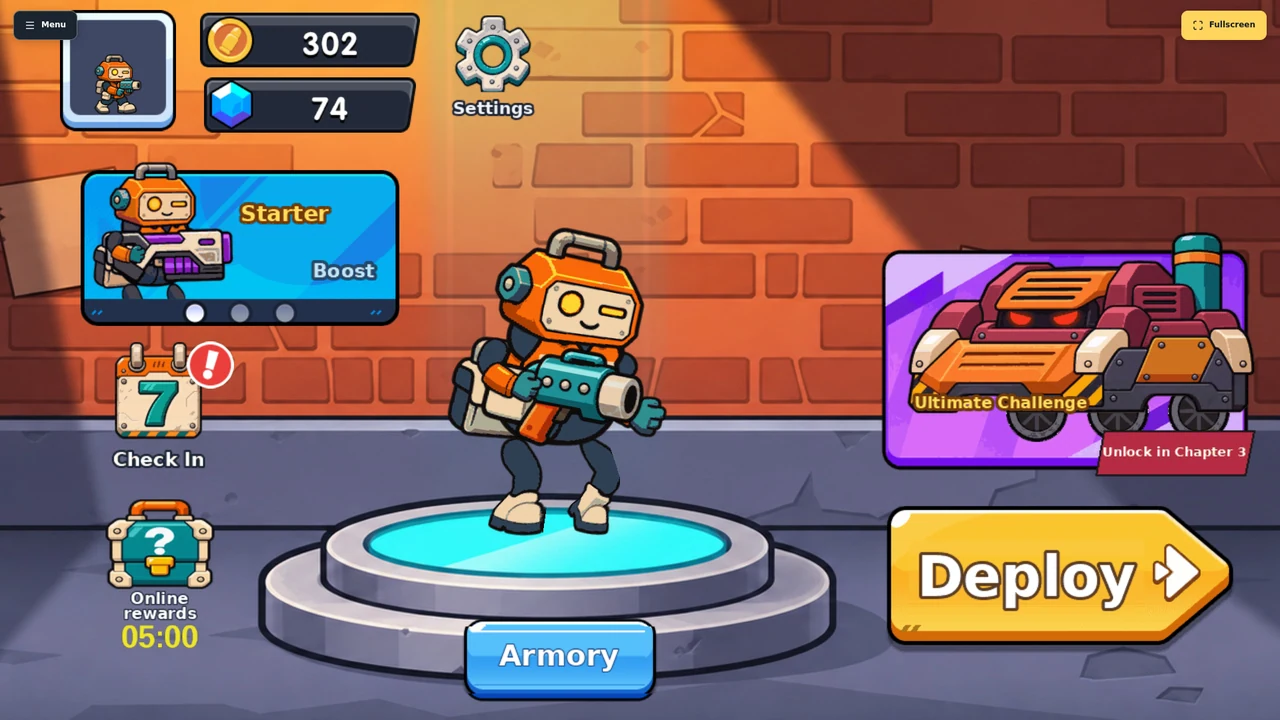
Choose Deploy in the lower right of Home, open the first Chapter card and select 1-1. The first visit teaches the native controls. Complete the stage to open Story 1-2. Later, use the same selector to choose any stage you have unlocked.
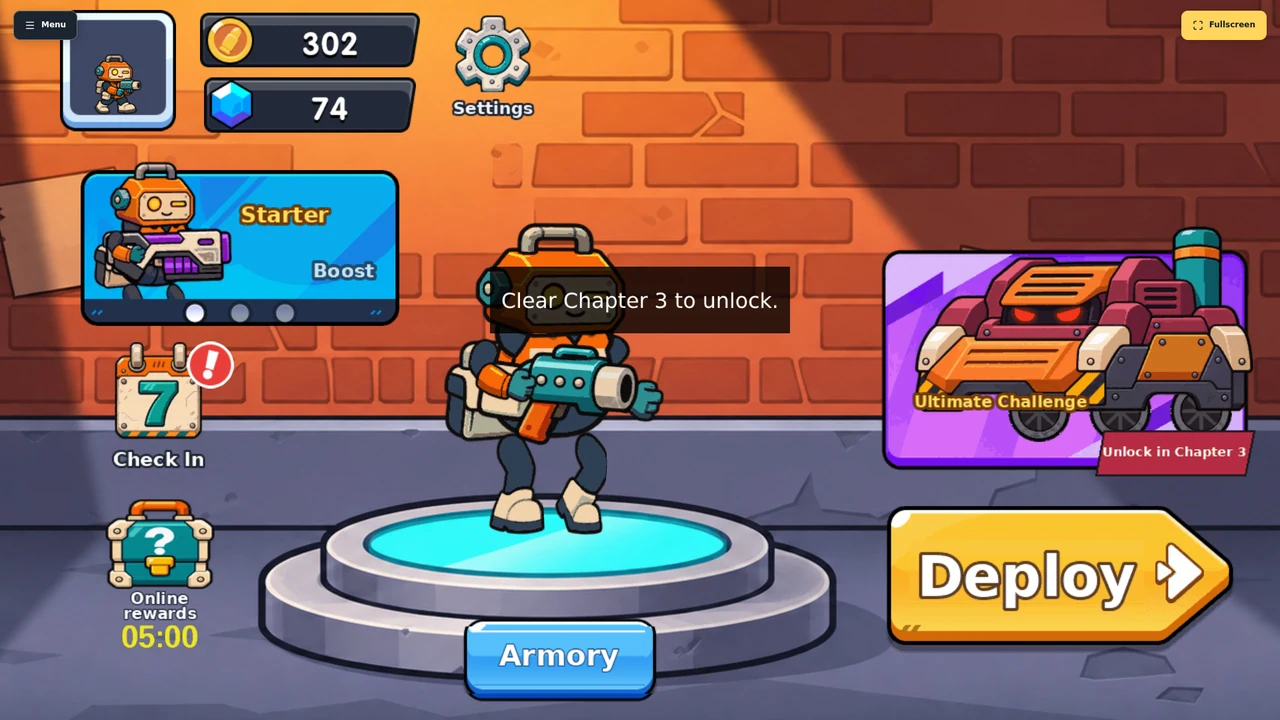
The Armory button is below the repair bot. Open it between runs to review the characters and weapons you can equip. The Home counters show coins and gems. The HUD inside a stage shows HP and XP, which are more useful for deciding whether to push forward or back away in a fight.
Take the opening between barricades
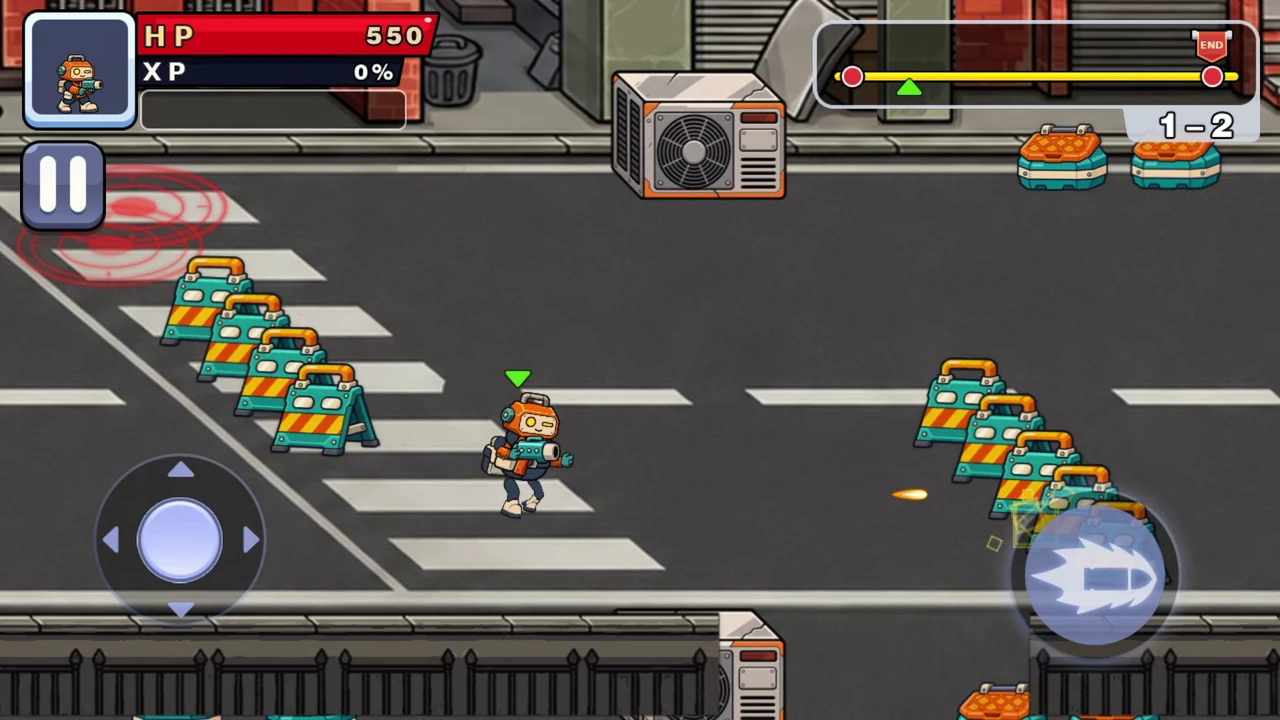
Use WASD or the arrow keys to move on desktop. On a phone, turn the screen sideways and use the left joystick. Look for the green marker above your bot once enemies, props and damage numbers fill the screen.
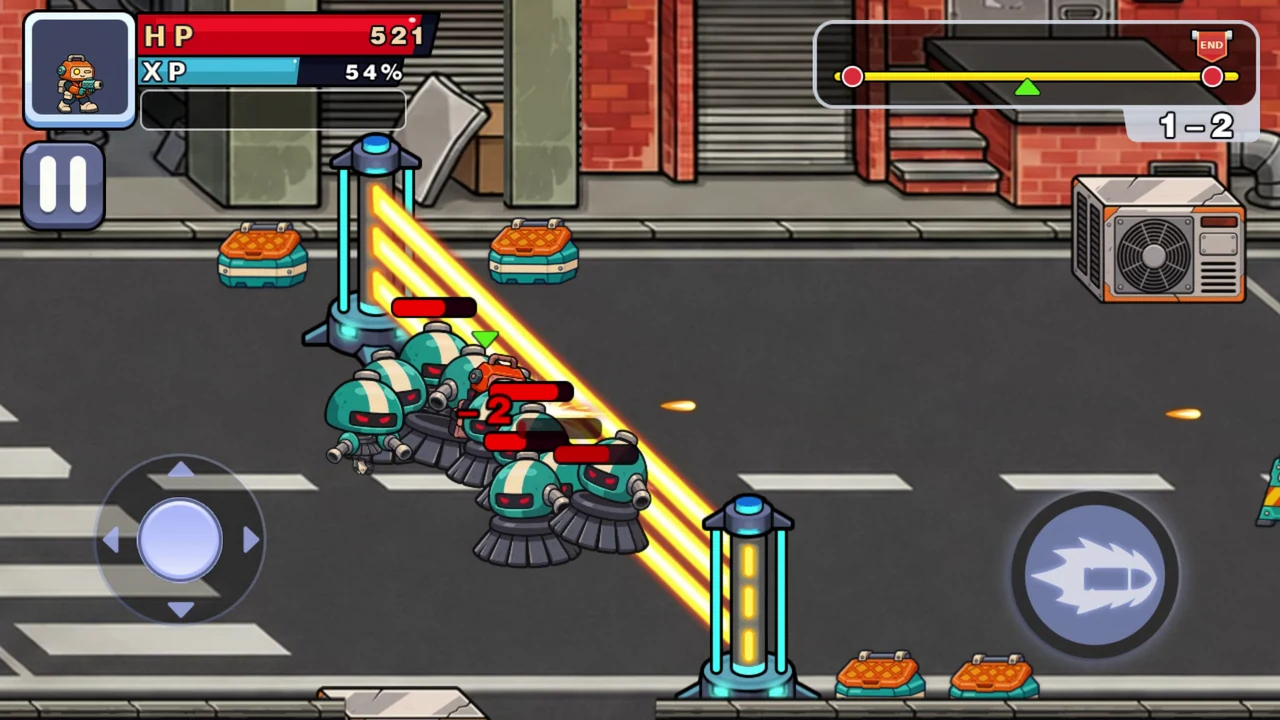
In Story 1-2, take the lower opening around the first row of striped barricades. If the scenery stops scrolling as you push forward, you may be caught against a prop. Back away a little, shift up or down, then move forward through the opening.
Keep track of the way you came in. An open lane behind you gives you somewhere to move when bots arrive ahead or close in from the side. The second run shows the bot taking the lower route before it fires back at the pursuers.
Keep firing as you make space
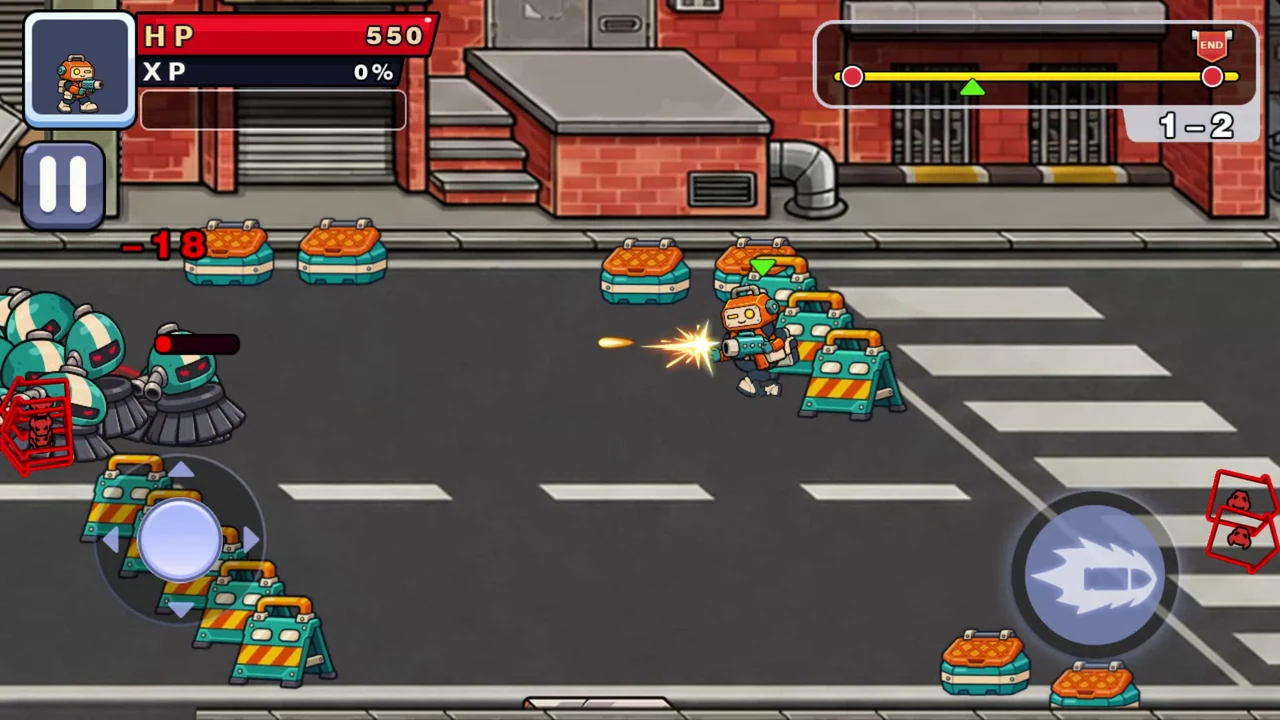
On desktop, hold the left mouse button over the playfield to fire. On a phone, use the on-screen fire control. The standard weapon turns toward nearby enemies automatically. You can move away while it fires back at them.
Watch the muzzle flash and the red damage numbers. If bullets keep hitting street scenery, take a few steps up or down to change the firing lane. In the example below, the bot fires left as it moves right.
If the bazooka becomes available and charged, right-click on desktop or use its on-screen button. Its blast can help when enemies are bunched together. Use the normal weapon as you move and keep an open escape lane for the next group.
Leave room to retreat at the gate
The bright yellow gate stops forward movement. In the first Story 1-2 run, the bot advanced to the gate while enemies closed from behind. Once they surrounded it, the HP bar started dropping. The screenshot shows 521 HP after starting at 550.
When a gate is lit and a wave is still close, fight from a lane with room to move. If the crowd gets too close, sidestep before you try to pass it. Give yourself enough space to clear the next obstacle without giving up the gap behind you.
The XP bar is below the HP bar. When a level-up choice opens, pick a single upgrade that helps your next encounter. More firepower can help clear the wave. Choose healing if it appears and you need HP for the next fight.
Story 1-1 boss fight: read the road
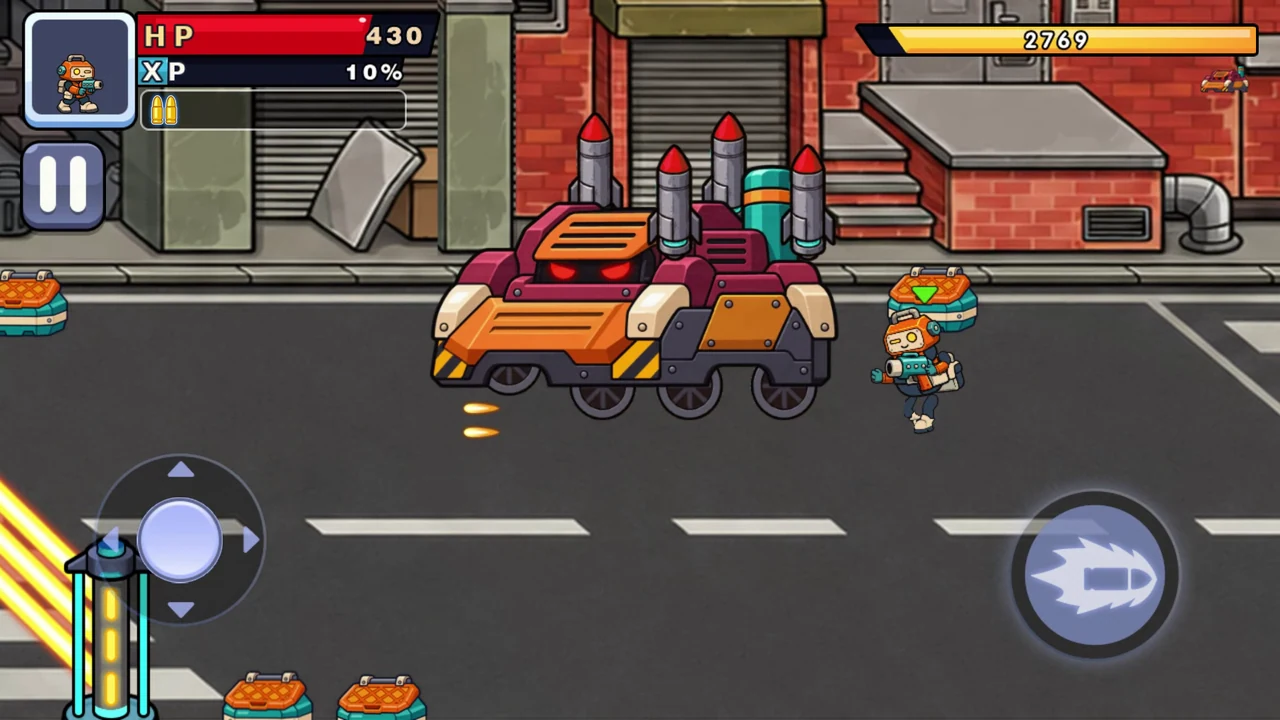
The first boss arrives after two groups of street bots. Continue through the opening after each wave. When Danger Incoming appears, an armored vehicle drives into the fight. The number in the yellow bar at the upper right switches to the boss’s remaining health. Your own HP stays at the upper left.
Watch the road around your bot. The vehicle marks an impact area with concentric red rings. Move up or down out of the marked area as soon as it appears, then resume your firing lane. In the recorded attempt, staying near a marked spot while firing cost HP when the shot landed.
Leave space beside the vehicle. It can move across the lane and force your bot to change sides. Hold fire as you reposition, then use the boss health bar to see whether your shots are connecting. A clear exit from the next red ring is worth more than a few extra shots.
When Ultimate Challenge opens
Ultimate Challenge is visible on Home from the start. If you select it early, the game says to clear Chapter 3. Focus on Deploy and Story until you meet that requirement.
After Story unlocks the mode, the Challenge selector has six trials. Start with the first available card. The selector shows a time for each card, so you can use it to track your own runs as you unlock more fights.
Guest progress is stored in the browser you play in. Keep using that browser when you come back to work toward Chapter 3. A reload restarts an active battle, while finished Story progress is available through Deploy.
Watch the first boss in action
If the player does not load, watch on YouTube. The written guide and game remain available.
“Danger Incoming!” opens the Story 1-1 boss fight. The video then shows how to deploy, move and fire through Story 1-2, and read the first boss’s red targeting rings.